Everything in its box.Always findable.
A private box for every recipe, link, screenshot, and idea, kept on your phone and not scattered across apps.

A private box for every recipe, link, screenshot, voice note, and PDF, kept on your device, fully text-searchable, no account required.
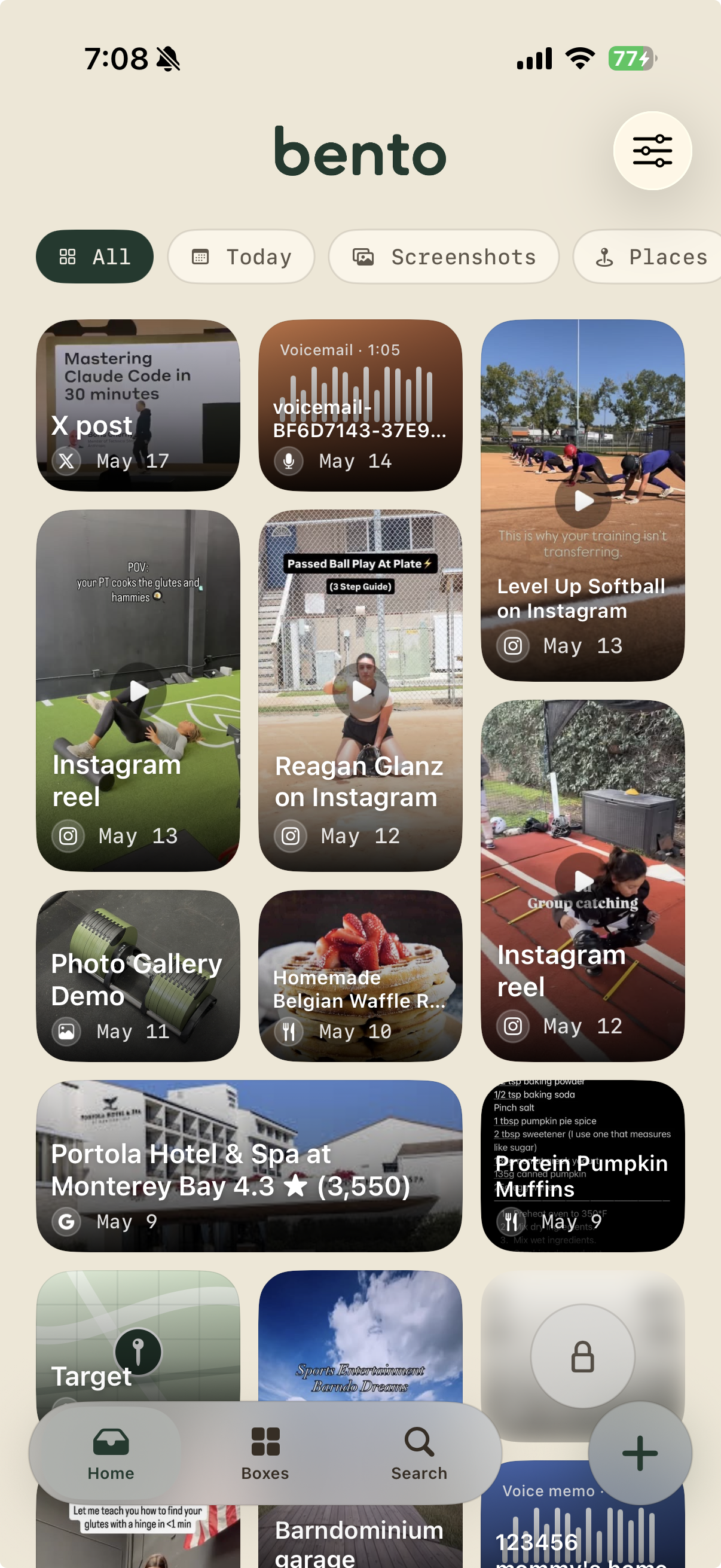
Use the iOS share sheet, the in-app camera, voice recorder, or quick-note. Works from Safari, Instagram, Photos, Messages, anywhere. One tap and it's in your bento.
Each item is recognized and visually organized: a recipe shows ingredients and cook time, a dropped pin opens in Maps, a voice memo plays back with its waveform. Each thing looks like what it actually is.
Bento reads the text inside every screenshot on your device, never ours. On devices with Apple Intelligence enabled, search gets even smarter. Search by a word, a phrase, or a detail you half-remember, without opening a single app.
A private box for every recipe, link, screenshot, and idea, kept on your phone and not scattered across apps.
From Safari, Instagram, TikTok, Photos, Messages. One tap and it's in your bento. Sort later, or never.
Bento reads the text in every image on your device. Search by what you remember, even if it's inside a photo.
Recipes, outfits, articles, voice notes, PDFs. All in one box, all searchable.
Hidden compartments. Face ID. Nothing leaves your phone unless you choose to share it.
Bento shapes itself to whatever you drop in. A pasted recipe gets ingredients and steps. A dropped pin opens a map. A voice memo shows its waveform and plays back right in the app. Nothing ends up as a generic file.
No tracking, no cloud uploads by default, no sign-up. Optional iCloud sync uses your iCloud. We never see it. Text recognition runs on your device. The search index lives there too.
No. Install and start saving immediately: no email, no sign-in, no profile. If you want to sync across devices, Bento uses iCloud through your existing Apple ID. Nothing routes through our servers.
Bento uses Apple's on-device text recognition (OCR) to read and index the words inside your images, all on your device, never uploaded. Once scanned, you can search any screenshot by the text it contains, just like a document.
Anything that shows up in the iOS share sheet: recipes, links, screenshots, photos, voice memos, PDFs, articles, places, contacts, Instagram posts, and more. Bento auto-detects the type — it knows what it is.
Lock means a compartment is visible but gated by Face ID. Hide means the items don't appear in your inbox, search, or widgets at all. They live in a private vault you reveal with a pull-down gesture (or only from Settings, your choice).
The core experience is free: up to 200 items, 20 boxes, 1 shared box, and iCloud sync, no account required. Bento Pro is available as an annual subscription ($4.99/year, free trial included) or a one-time Founding Member purchase ($19.99). Both unlock unlimited items, unlimited boxes, unlimited shared boxes, and every platform Bento ships on. The lifetime price will increase as features ship.
iPhone running iOS 26 or later. iPad and Mac are on the roadmap. Android is not currently planned.
Yes, where it's available. On iPhone 16 and later with Apple Intelligence enabled in Settings, Bento uses it to improve voice transcription and screenshot search. On older devices, Bento falls back to Apple's standard on-device tools, which still work well.
Founding member pricing · all purchases managed by Apple · lifetime price increases as features ship
Download free on iPhone. Upgrade to Bento Pro when you're ready.